
Do you actually need a DCP? Festivals, theatrical and Academy qualifying.


Short answer: you need a DCP when someone is going to project your film in a commercial cinema and they’ve asked for one. You don’t need it to submit, you don’t need it for screeners, and you don’t need it until a real screening is on the calendar.
That sounds obvious. It isn’t, because the rules change from room to room. Last week we covered what a DCP is. This week is about when you need one, and when making one early wastes money.
Submitting is one file. Screening is another.
Almost every festival takes submissions as a private streaming link through FilmFreeway or a similar platform. The programmers watch your film on a laptop or a TV. Nobody asks for a DCP at this stage, and nobody should. A DCP costs real money (week three has the numbers) and you may never need it.
The DCP question starts when you get in. Your acceptance letter comes with delivery requirements: format, deadline, shipping address or upload link. That document is the only one that matters. Read it twice.
The big festivals, in their own words.
The large festivals run professional cinemas with professional projection teams, and most of them want a DCP.
Sundance. The 2027 FAQ says: “We require DCP for in-person Festival exhibition, as well as a ProRes file for online screenings, if applicable.” It adds a captioning requirement a lot of first-timers miss: “Your DCP must include both a Closed Caption and an Open Caption version.” That’s two versions of the package, and we’ll cover how to build them in week ten.
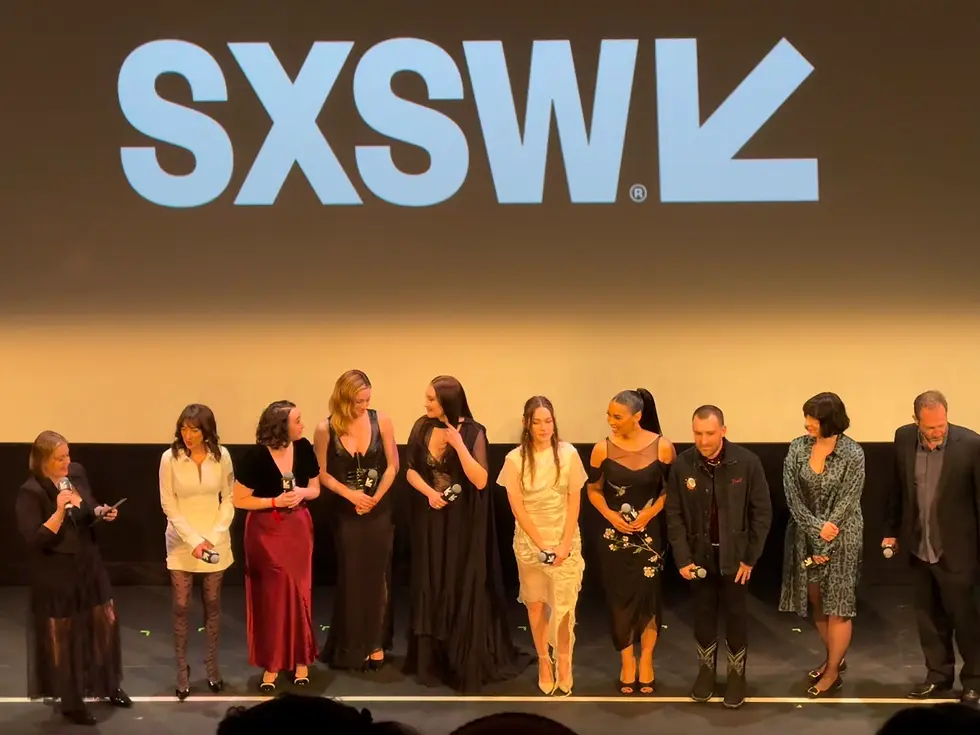
SXSW. “For Feature Films, Short Films, TV Projects, or Music Videos, we will require a DCP (Digital Cinema Package) file for exhibition playback at all SXSW Film & TV Venues.” It also warns that “a backup format may be required in addition to the DCP.”
Tribeca and TIFF. Both confirm the exhibition format after invitation. Tribeca’s 2026 rules tell filmmakers to check with festival staff before making the exhibition copy. Take that literally. Don’t guess.
And the festival that won’t play one.
Here’s the one that surprises people. Austin Film Festival’s 2026 FAQ says: “AFF screens films as digital files during the Festival and does NOT screen films on DVD, Blu-Ray, HD-CAM, or DCP.”
So if Austin is your premiere, a DCP won’t help you there. You’ll deliver a digital file to the spec the festival sends you. Plenty of regional and smaller festivals work the same way, playing ProRes or H.264 files off a media server or a laptop because not every venue has a DCI-compliant booth.
The festival decides, and the requirement is written down somewhere. Find it before you pay anyone.
The Academy wants one, with no exceptions.
If there’s any chance you’ll qualify for an Oscar, the rules for the 99th Academy Awards (films released in calendar year 2026) are specific. Rule Two says: “Any Digital Cinema exhibition shall use image and sound files packaged as Digital Cinema Packages (DCPs) in conformance with the most recent revision of SMPTE ST 429-2 (D-Cinema Packaging – DCP Operational Constraints) and its normative references, and shall use a 24- or 48-frame progressive scan format and a projector with a minimum resolution of 2048 by 1080 pixels.”
Three things in that sentence matter to you:
SMPTE ST 429-2 means a SMPTE DCP. The older Interop format doesn’t meet the rule. Week seven explains the difference.
24 or 48 frames per second. If you shot and cut at 23.976, your DCP will run at 24. That’s normal, and week four covers what happens to your sound when it does.
2048 by 1080 is the 2K cinema container. A standard 2K DCP clears it.
The qualifying run itself has to be “at least seven consecutive days in the same commercial motion picture theater, during which period screenings must occur at least three times daily, with at least one screening beginning between 6 p.m. and 10 p.m. daily,” in one of six metro areas: Los Angeles County, New York City, the Bay Area, Chicago, Atlanta, or Dallas-Fort Worth (Dallas and Tarrant counties).
That last one matters if you’re making films in Texas. You can qualify a feature in Dallas or Fort Worth without flying a drive to Los Angeles. Shorts and documentaries have their own category rules with other paths to eligibility, so read the rules for your category on oscars.org before you book anything.
Theatrical runs and one-off screenings.
If you’re booking your own screenings at independent theaters, most of them will ask for a DCP, because that’s what their booth runs on. Some smaller rooms and microcinemas will take a ProRes file or a Blu-ray. Ask the programmer. They’ll tell you in one email.
For a longer run in a real cinema, plan on a DCP. It’s the format the booth trusts, and it’s the one that looks and sounds the way you mixed it.

When to spend the money.
Here’s the rule we’d give anyone on a first film:
Don’t make a DCP to submit. Nobody wants it.
Do make one the moment you have a confirmed screening that requires it, and give yourself two weeks.
Make one version that works everywhere. A 2K, 24 fps, SMPTE DCP with 5.1 or stereo sound on a properly formatted drive plays in nearly every cinema on earth.
Check captions early. If a festival wants open and closed caption versions, that affects cost and turnaround.
Test it in a theater before it matters. Week twelve is about that.
If you’re still at the submission stage, our festival deadline guide tracks what the major festivals charge and when they close. When an acceptance comes in and you want someone else to handle the delivery file, our DCP service builds to the festival’s spec.
Next week: what all of this costs, whether you build it yourself or pay someone.


Comments