
What is a DCP, and why your first film needs one.

Updated: Oct 4
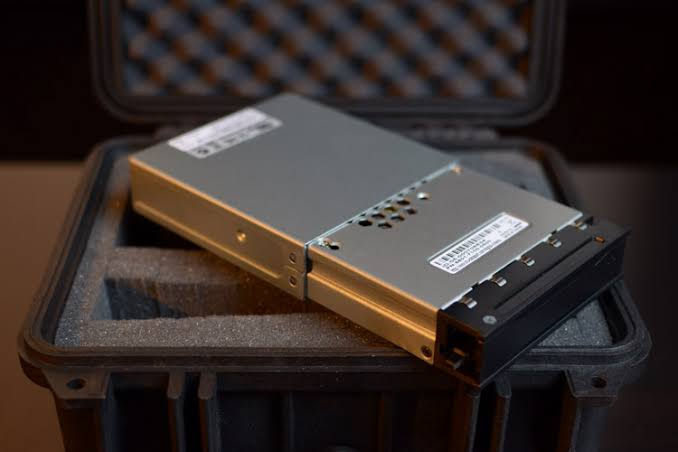
You finished the movie. You exported a ProRes master, it looks great on your monitor, and a festival just said yes. Then the acceptance email asks for a DCP, and you realize the file you’ve been living with for two years can’t play in the room you’re about to premiere in.
A DCP, or Digital Cinema Package, is the folder of files a commercial movie theater plays. It’s the theatrical equivalent of a 35mm print: one standardized package that any cinema server anywhere can ingest and project the same way. If your film is going to play on a real cinema screen, it almost certainly goes there as a DCP.
This is the first post in a twelve-week series on DCPs, written for filmmakers who just finished their first feature or short. We start with what it is. By week twelve you’ll know how the files are built, why they’re built that way, what drive to put them on, and how to get them on a screen without a disaster at the tech check.
Think of it as a print you can email.
For about a century, a theater could play your movie because of one agreement: 35mm film, a fixed frame size, a fixed speed, an optical soundtrack in a known spot. A print made in Burbank ran on a projector in Beaumont.
Early digital projection broke that agreement. Vendors had their own formats, and the studios were not going to ship a different version of every release to every theater. So in 2002 the major studios formed Digital Cinema Initiatives (DCI) and wrote a single specification for how digital movies get packaged, secured and projected. The standards body SMPTE turned that work into formal standards. The result is the DCP.
Here’s what the package does for a theater. It tells the server exactly what the film is, how long it runs, what order the pieces play in, and whether any file got damaged on the way. It carries picture and sound in formats every compliant projector and sound processor already understands. And it can be locked with encryption so it only plays on a specific server during a specific window. A theater can ingest a DCP from a filmmaker it has never heard of and trust that it will play.
What’s actually inside the folder.
Open a DCP and you’ll find a handful of small text files and a few very large ones:
Picture track. An MXF file holding every frame of your movie as a JPEG 2000 image.
Sound track. An MXF file holding uncompressed multichannel audio.
Subtitles or captions, if you have them, as their own track files.
CPL (Composition Playlist). The instructions: which picture, which sound, in what order.
PKL (Packing List). An inventory of every file with a checksum, so the server can prove nothing was corrupted.
ASSETMAP. The map that tells the server where each file lives on the drive.
We’ll open each of these up in week six. For now, the useful idea is this: a DCP is a package of separate tracks plus paperwork, and the paperwork is how the theater knows the tracks are right.

Why the file you already have won’t do.
A ProRes or H.264 file is built for editing, streaming or a laptop. A cinema is a different machine. Its projector expects a particular color space (DCI XYZ, which we cover in week eight), particular frame sizes, particular frame rates, and a particular way of reading audio channels. Cinema servers are built to ingest DCPs and play them through a calibrated chain. A consumer file, even when a booth can be made to play one, skips the pipeline your colorist and mixer were counting on.
That’s why the gatekeepers of theatrical exhibition write DCP into their rules. The Academy’s rules for the 99th Oscars say “Digital Cinema requirements are not satisfied by consumer, broadcast, streaming, or non-DCP file-based delivery formats, including but not limited to Blu-ray, DVD, HDCAM, QuickTime, ProRes, MP4, or other similar formats.” SXSW says it “will require a DCP (Digital Cinema Package) file for exhibition playback at all SXSW Film & TV Venues.” Sundance requires “DCP for in-person Festival exhibition.”
Not every festival works this way, and next week’s post covers the ones that don’t. But the big ones do, and the Academy does. If you want your film on a real screen at scale, you need this file.
Why it matters on your first film.
The trap on a first film is timing. The DCP is the last thing you make, so it gets made in a hurry, by someone tired, right before a deadline. It’s also the first thing the audience experiences. A wrong frame rate, a channel map that sends your dialogue to the left surround, subtitles that don’t render, a drive the server won’t read: every one of those shows up in front of a paying crowd.
Brad Fox, VP of Postproduction at CineSend, put it plainly: “DCPs have detailed technical requirements, they can be difficult to review accurately, and small mistakes can have major consequences.”
The good news is that the rules are knowable. A DCP is a standard. Standards can be learned, checked and tested. Everything that goes wrong has a name, and most of it can be caught on a laptop before the drive ever leaves your hands.
The series, week by week.
Every Tuesday through December 15, one post. Each builds on the last.
Week 2. Do you actually need a DCP? Festivals, theatrical and Academy qualifying.
Week 3. What a DCP costs: DIY, lab or service.
Week 4. Prepping your master before anyone makes a DCP.
Week 5. How to make your own DCP with DCP-o-matic.
Week 6. Inside the folder: ASSETMAP, PKL, CPL and MXF.
Week 7. SMPTE vs. Interop, and the name on the folder.
Week 8. JPEG 2000 and XYZ color.
Week 9. Sound in a DCP.
Week 10. Subtitles and captions.
Week 11. Which hard drive, which format, which enclosure.
Week 12. KDMs, ingest, tech checks and booking a theater.
Where to start today.
If a festival acceptance is sitting in your inbox right now, read the festival’s delivery requirements before anything else. Write down the format, the deadline and the delivery method they ask for. That one page decides most of what happens next.
If you’re still submitting, our festival deadline guide tracks what the major festivals want and when. If you’re thinking past festivals to a theatrical run, start with our independent theater directories for Austin and Central Texas and Dallas, Fort Worth and North Texas.
And if you’d rather hand the DCP to someone else, that’s what our DCP service is for. By the end of this series you’ll be able to do it yourself. You’ll also know exactly what to ask anyone you hire.


Comments